显示标签为“portrait retouching”的博文。显示所有博文

2012年9月18日星期二

Good News: ArcSoft Portrait+™1.1 Is Released Today


Buried in the repetitive work of portraits retouching, have you ever wished to be saved from inefficiency and low productivity? Have you ever hoped to earn more money and expand your business? Hooray, photographers, here comes the rescue - ArcSoft Portrait+.

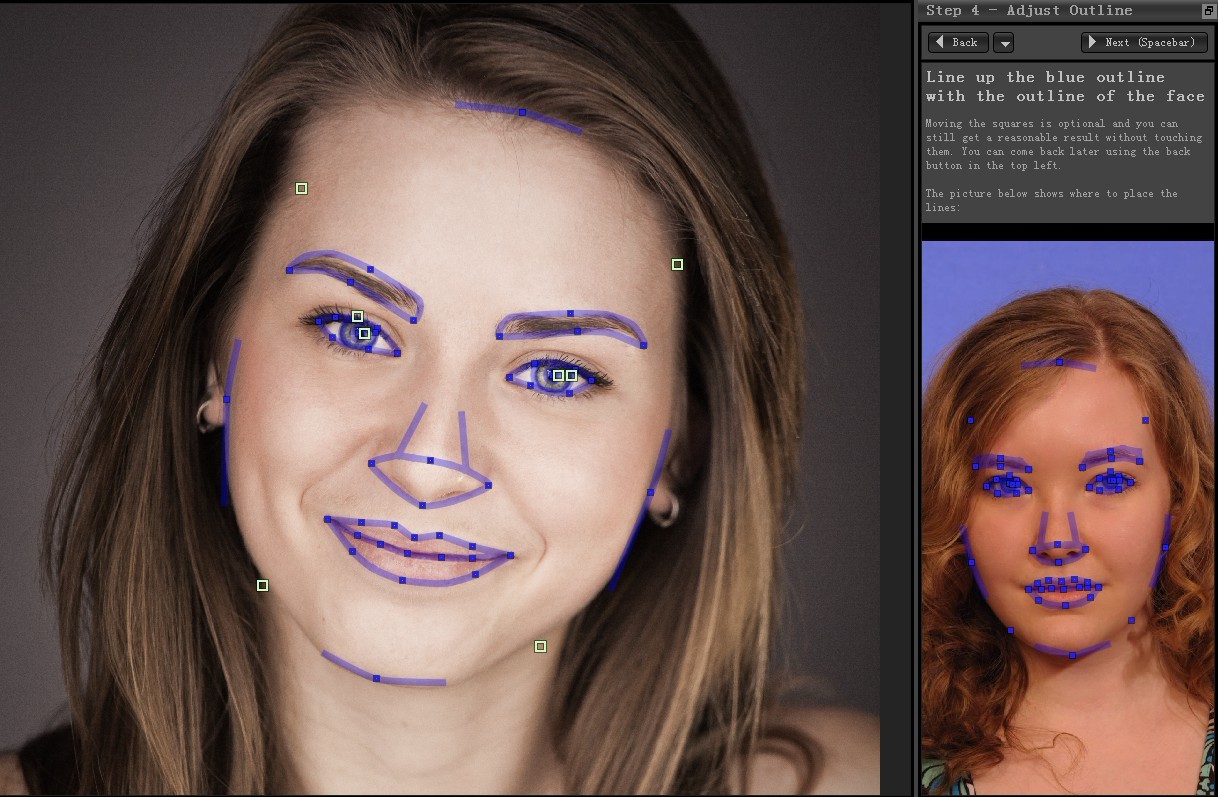
Anyone who has used Portrait+ will find it is an effective tool for batch-processing portrait photos. With only 4 steps, hundreds of photos will be retouched in minutes. It helps a lot for professional photographer to save more time but improve productivity.

And today, I’m glad to notice that Portrai+ has upgraded to a new version 1.1. It now supports up to 8 languages, including French, German, Spanish, Italian, Japanese, Korean, Portuguese and English. And a dynamic user guide leads to quick startup while the control area of key points has been enlarged for easier manual adjustment. Besides, it provides a new result comparison interface, eliminating the need to click sequentially to select the best retouched photos.

Aiming at improving user experience, ArcSoft always devote large time and money on producing better products. And it will work hard and providing more efficient solutions to the photography worldwide.

For more information about Portrait+TM 1.1 and to download a free trial version, please visit: www.arcsoft.com/portraitplus/


2012年8月31日星期五

Portrait Professional vs Portrait+ Which Portrait Retouching Software Will You Choose?


Usually I use Portrait Professional to enhance my photos since it provides the highest quality of portraits. But I recently tried Portrait+, another portrait retouching software to deal with my photos from my trip to Germany. This software shares some similarities with Portrait Professional but still remains unique with its own features. So which one should you choose? I'd like to make a comparison between their main features to help you decide.

The following is a table of feature comparison:
Category
Features
Portrait Professional
import
batch import
X
V


face touchup
face detection in one photo
with the help of manual location
auto detection with up to 20 faces
style templates
can be customized and saved more
20+
adjust feature points
V
V
manul fine-tuning controls
V
X
photo effects
natural & glamorous
natural
export
batch export
X
V


conclusion
speed & convenience in  workflow
fast
faster
target users
both professional & amateur photographers
professional photo studios, portrait studios and photo labs.


Personally, I think Portrait Professional is a better choice when retouching a few photos while Portrait+ is better for enhancing larger numbers of photos.


2012年8月30日星期四

Tricks for Portrait Professional


Portrait Professional from Anthropics technology aims at retouching portraits quickly and easily. Excellent airbrushing technology helps to satisfy a great number of customers. Now, let’s find out why Portrait Professional is so popular.


How it works?
After opening an image, select a gender and pinpoint the facial features. After locating 5 key facial points manually, it can automatically detect your face. It is easy to apply different styles to a single photo. 

Sculpt your face

After simply pointing out the key features, the application will automatically enhance the photos. If necessary, you can adjust the key points. But modifying the control too much may lead to a change of identity. A slight enhancement is recommended to make desirable results.


Customize your ideal styles
We provide more than 30 preset styles. All the templates are able to be customized and saved. Next time, those templates can be applied directly.

Apply Restore Brush
After retouching, you may find that the accessories are blurred. Use the restore brush to correct any loss of definition.

Use master fade slider for quick enhancement
For beginners, it is recommended to use the master fade slider for enhancement. For a quick adjustment it is better to adjust the master fade slider to quickly retouch photos.


It can’t be denied that Portrait Professional is an expert in enhancement. But, it can’t deal with many photos at once or detect all the faces in one photo. For professional photographers, it is indeed time-consuming. If Portrait Professional had the function of batch-processing like Portrait+, it would be much more appreciated.